
Sukon on your phone — free, in seconds
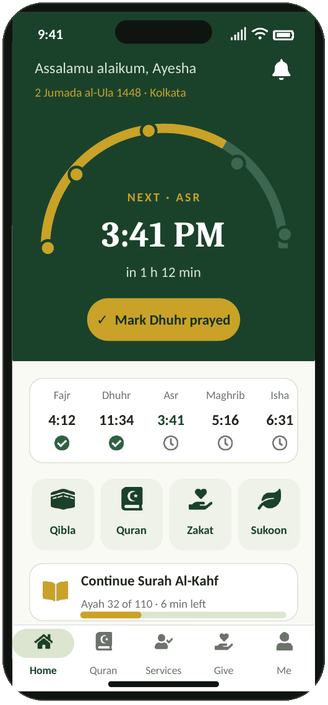
Install Sukon straight from this website. It opens full screen like any app, keeps prayer times, the Qibla and the Quran one tap away, and works in every country.
Choose your device
Android
- Open sukon.in in Chrome.
- Tap Install Sukon now above, or the ⋮ menu and then Install app.
- Find Sukon on your home screen.
iPhone and iPad
- Open sukon.in in Safari.
- Tap the Share button (square with an arrow).
- Choose Add to Home Screen, then Add.
Windows, Mac and Chromebook
- Open sukon.in in Chrome or Edge.
- Click the install icon at the right end of the address bar.
- Click Install. Sukon opens in its own window.
iPhone and Android store apps are planned, and we will post the date here. Installing from this website is safe and uses no extra storage.
What you are installing
Sukon today is a web app (PWA): you install it from your browser, it opens full screen and updates itself. Native iPhone and Android apps for the App Store and Google Play are coming soon and are not in the stores yet — we will add the official store links here only when they are published.
| Feature | Android (Chrome) | iPhone / iPad (Safari) | Windows, Mac, Chromebook (Chrome / Edge) |
|---|---|---|---|
| Install to home screen or desktop | Yes | Yes — Share › Add to Home Screen | Yes |
| Prayer times, Qibla, Quran, Zakat, Tasbih | Yes | Yes | Yes |
| Live Qibla compass | Yes, on phones with a compass sensor | Yes — allow Motion & Orientation when asked | No compass on most computers — use the map or sun method |
| Prayer reminder sound | Only while Sukon is open | Only while Sukon is open | Only while Sukon is open |
| Background push notifications | Not available yet | Not available yet | Not available yet |
| Opens offline after your first visit | Yes — see the list below | Yes — see the list below | Yes — see the list below |
What works offline
After you open Sukon once with a connection, these pages are saved on your device and open without internet: the home page, prayer times, Qibla, Tasbih, 99 Names of Allah, Daily Inspiration, fasting companion, Zakat calculator, Quran reader, recorder, daily duas, greeting cards and Tajweed basics. Quran surahs you have already opened are kept too.
These need a connection: Sukon AI, sign-in and your account, service requests, the Dua Wall, Makkah & Madinah live, recitation audio you have not played before, and the halal barcode checker. To reset the saved copy, clear site data for sukon.in in your browser settings.